
Some people are called to serve; others are built for it. Whatever drives you, Team Rubicon wants to put your unique skills and talents to work serving disaster survivors on their worst days.
Here’s our four step guide on how to join Team Rubicon, from how to sign up to become a volunteer—or Greyshirt, as we say—through ensuring you’re deployable. The sooner you sign up, tell us about your unique skills and talents, and complete TR101, the sooner Team Rubicon can get you into the field or serving remotely.
Step 1: Sign Up to Volunteer
To volunteer with Team Rubicon you’ll first need to sign up to become a volunteer, or Greyshirt.
This signup form can also found at https://teamrubiconusa.org/volunteer.
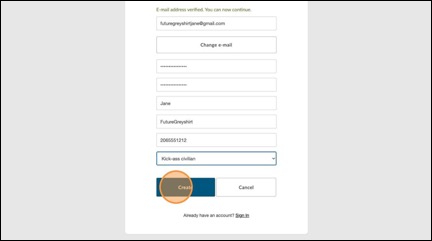
Within the pop-up form, enter your email address then click “send verification code.” Open a new tab, navigate to your email for the code, then return here to enter the code and click “verify.”
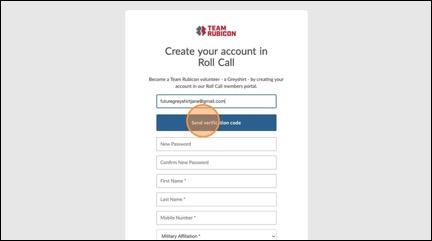
Set your password, fill in your first and last name and phone number, then choose your military affiliation.
There is no military requirement to join Team Rubicon: Veterans, active duty military, and kick-ass civilians can all be Greyshirts.
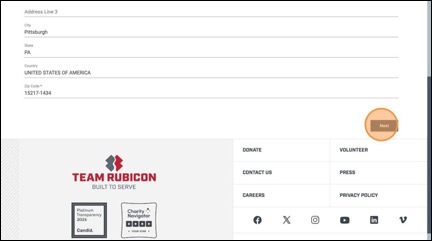
Next, provide and verify your address. This tells Team Rubicon where you should be deployed from when the time comes. It also gets you connected with other Greyshirts in your area and for service projects, training opportunities, and more.
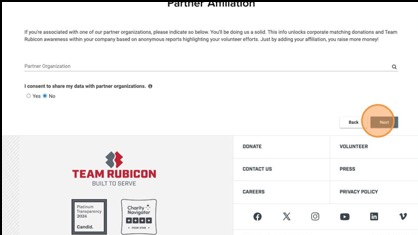
Optional: Once you’ve provided your address, you can enter your partner affiliation, such as an employer, if so desired.
Congrats! You’re signed up as a Greyshirt.
Step 2: Complete Your Greyshirt Volunteer Profile to Get Deployable
Team Rubicon still needs a bit more information before making you deployable—i.e. eligible to serve on a distaster relief operation. You could return to Roll Call (https://rollcall-events.teamrubiconusa.org/) later to complete this, but as long as you’re here, why not finish up?
Within your Roll Call page, click on the grey left-hand box: “Don’t just wait for the next disaster. Continue training and be prepared.”
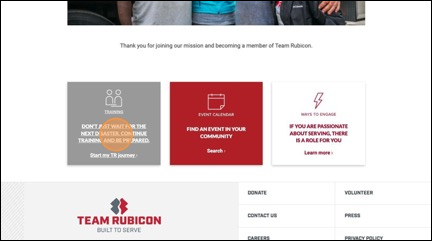
Click “enroll now.”

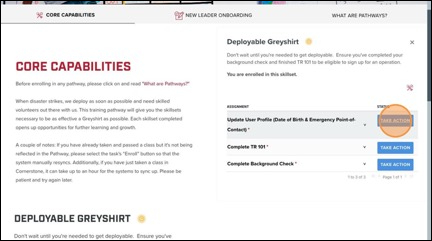
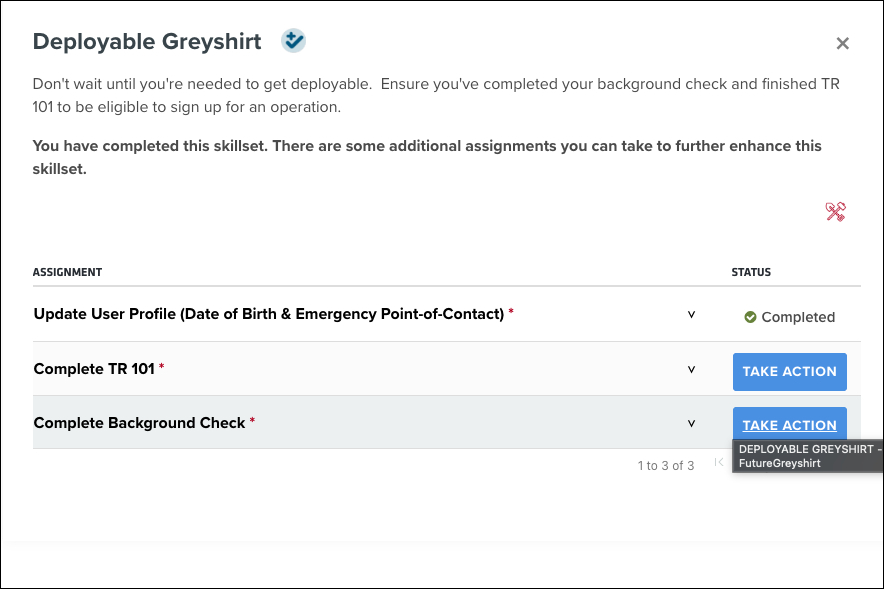
There are three steps to becoming a deployable Greyshirt:
Updating your user profile, completing TR101, and completing your background check.
First, update your user profile by clicking “take action.”
Then, complete your deployment profile.
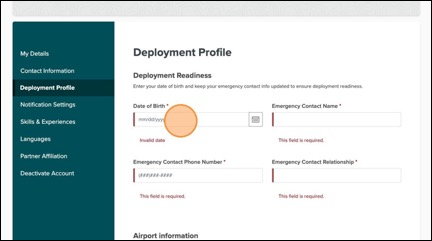
…including telling Team Rubicon what your nearest airport is so we can book your flight when the time comes to deploy on an eligible operation.
Team Rubicon pays for all flights and air travel when an operation warrants it, and makes all the travel the arrangements.
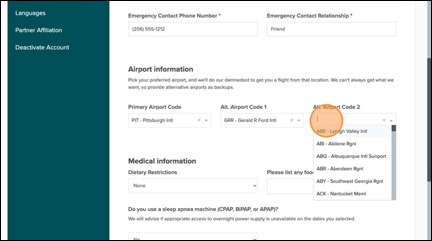
You should also provide details of any medical or dietary restrictions you might have. Then click “save.”
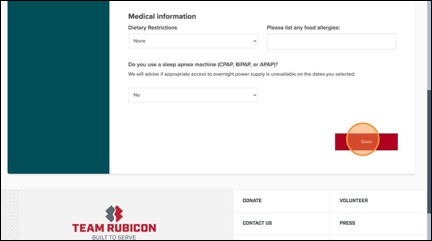
Now, navigate to the left-hand column and continue providing us with info.
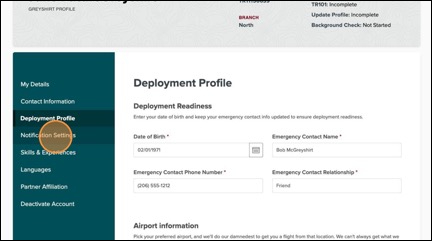
…like how and when you’d like to be notified of pending operations.
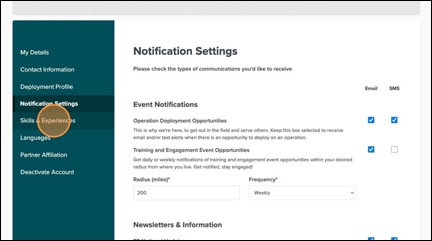
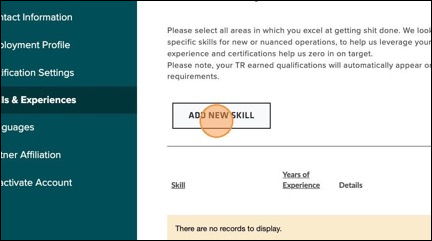
Finally, navigate to “Skills & Experiences.” It’s here that you can tell Team Rubicon about experience you have, certifications and licenses you hold, and more.
Letting Team Rubicon know of your specialized skills and training will help us put those skills to use for people on their worst days. Whether you’re fluent in a foreign language, a trained medical provider, or a highly-skilled hobbyist photographer, we want to know.
The more unique skills you have, the more opportunities you may be presented with to serve. That includes volunteers with medical licensure, as medical Greyshirt roles are some of the hardest to fill.
Finally, return to “My Details” and make sure we have everything correct.
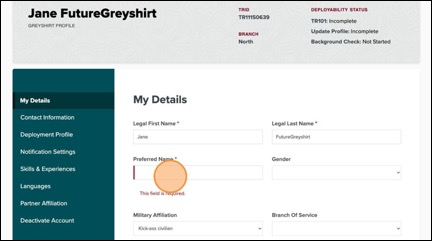
Once all of this information is filled out, return to your profile in Roll Call.
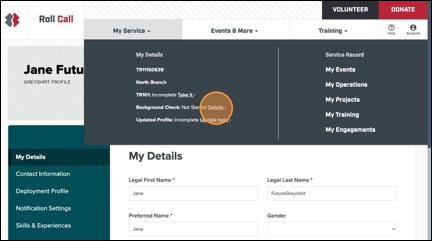
Click “My Service”. This will show you the other steps that need completing.
Step 3: Complete Your Background Check
Because we serve vulnerable individuals and communities when they are at their most vulnerable, Team Rubicon conducts a background check on every potential volunteer before deploying them in the field.
Click on the background check box in Roll Call.

Step 4: Take TR101
TR101, Step Into the Grey, will guide you through Greyshirt basics and what to expect on the ground.

You can return to Roll Call at any time to complete your Greyshirt journey. Welcome to the TRibe!