
At Team Rubicon, we believe disaster preparedness has no season: it’s a year-round effort. Pack your emergency kit early, change the water in your disaster kit every six months if needed, and check the batteries on your flashlights and fire alarms often. Then, when a major storm is headed your way, charge your phone, double-check your evacuation plan, and keep an eye on the forecast.
There’s another step to take today that only takes minutes: social media disaster preparedness. Your social feeds can become an important part of your emergency plan—if you set them up before you need them.
How Social Media Can Help With Disaster Preparedness
Social media can be a useful source of emergency information before, during, and after a disaster. Local emergency managers, weather services, news organizations, utility companies, community organizations, and even neighbors can provide critical information about changing conditions, road closures, evacuations, power outages, shelter locations, and more.
The trick is to set up your feeds before the storm arrives. Don’t wait until a hurricane, tornado, wildfire, flood, or winter storm is bearing down on your community to figure out who to follow. Start by searching for the official accounts of the organizations you may need during an emergency, including:
• Your city, county, or state emergency management agency
• The National Weather Service and your local NWS office
• Local government officials
• Local fire and police departments
• Your electric, gas, and water utilities
• Local television stations, newspapers, radio stations, and weather reporters
• The American Red Cross and other disaster-response organizations
• Team Rubicon
Then, follow them and turn on notifications for the accounts that provide the most important information. You don’t need notifications from everyone you follow. The goal is to make sure the accounts most likely to provide authoritative, time-sensitive information can reach you when it matters.
Instagram Can Help You See What’s Happening During a Disaster
Instagram may not be the first place you might think of for emergency information, but local governments, news organizations, weather services, and emergency-management agencies use it to distribute updates during a disaster.
It can also give you a visual picture of what’s happening in your area. Photos and videos posted by people on the ground may provide useful context—but treat them as firsthand observations, not necessarily verified information. A flooded intersection in someone’s Instagram Story might be important information, although it doesn’t necessarily tell you whether that road is still flooded an hour later.
Identify and follow the accounts you trust before a storm and check whether they offer notifications for new posts or other updates. But during a storm, also be on the lookout for AI-generated disaster content that can be misleading.
Social Media Emergency Alerts: Using Bluesky and X
Platforms like X and Bluesky can provide fast-moving information during a disaster, and can be essential for receiving emergency alerts.
X remains useful for real-time updates because many government agencies, weather organizations, journalists, and emergency managers use the platform to post frequent updates. You can also search for the name of a storm or disaster and relevant location-based terms. Just remember that searches can surface both useful information and misinformation.
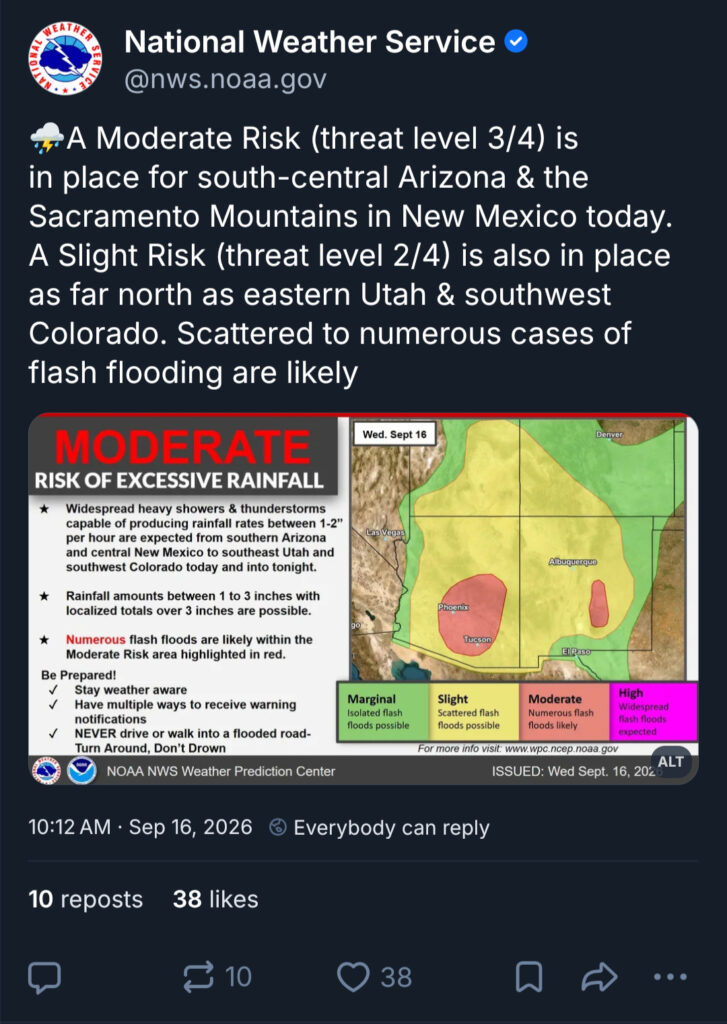
For real-time weather and emergency information, don’t limit yourself to X: Bluesky can also be a useful source of disaster information, particularly if the agencies and news organizations serving your community are active there.
The National Weather Service has an official Bluesky account, and individual NWS offices and other weather organizations are increasingly using social platforms to communicate forecasts, watches, warnings, and preparedness information.
Before severe weather arrives, identify the accounts that matter most in your area and follow them on X or Bluesky—or both—then set up notifications to receive emergency alerts on social media as they happen.
Use TikTok as a Preparedness Classroom—but Not Your Emergency Alert System
TikTok can be a useful place to learn about disaster preparedness, but don’t rely on it alone when a storm is approaching. The platform’s algorithm may show you information based on your interests rather than your location, and videos can continue circulating after conditions have changed. Before acting on a warning, evacuation instruction, road closure, or other time-sensitive information, verify it through your local emergency-management agency, National Weather Service office, utility, or other official source.
What TikTok is good for is prepping: Look for videos about how to protect your home, build an emergency kit or disaster go bag, or evacuate safely—or how to prepare for a specific type of disaster.
Use Social Media for Local Disaster Information
For disaster preparedness, community applications and websites like Reddit, Facebook, and Nextdoor can offer neighborhood connections that can be especially valuable when conditions become hyperlocal.
A weather forecast might tell you that a storm is affecting your county, but your neighbors may be able to tell you that a particular road is already flooded, a tree is blocking an intersection, or a neighborhood has lost power.
Find Your Local Emergency Network on Facebook
Facebook can be useful for connecting with local government agencies, emergency-management offices, news organizations, community groups, and neighbors.
Before a storm, search for your local emergency management agency and follow its official page. Do the same for your city or county, local news organizations, and other trusted sources. You can also look for community groups that discuss local conditions and preparedness. During a fast-moving disaster, verify before you share.
Get Help from Neighbors on Nextdoor
When the power goes out, or a tree blocks a road, your neighbors may be the first to inform you of the hazard, and it may happen on Nextdoor.
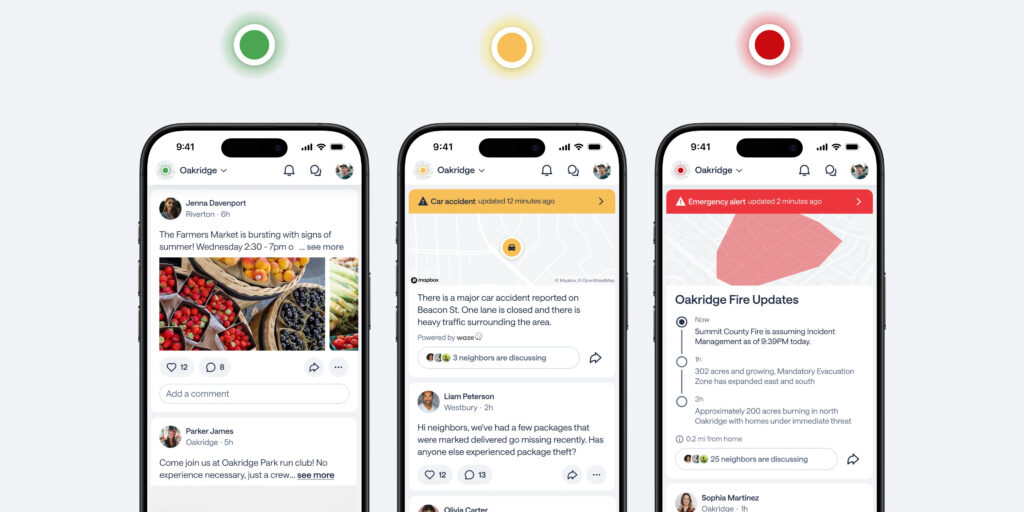
Nextdoor offers local news, real-time safety alerts, neighbor recommendations, and information for local communities, and with more than 110 million verified neighbors across 350,000 neighborhoods, there’s something for practically every town.
Before a storm, sign up for Nextdoor and set your location. The platform’s current alerts system provides prominent notifications about events such as severe storms and power outages, with information tailored to neighborhoods.
Find Local Disaster Intel on Reddit
Reddit can be another useful part of your disaster-preparedness social-media toolkit, particularly for local, community-level information. Before a storm, search for your city, county, or region on Reddit and join relevant local communities. These forums can be useful for learning what other residents are seeing, asking about local preparedness, and finding discussions about flooding, evacuation routes, power outages, or road conditions.
Regardless of whether you’re tuned into Nextdoor, Reddit, or Facebook, remember that a neighbor’s post is not the same as an official emergency alert, and that user-generated content can be incomplete, outdated, or wrong. Use community posts as additional situational information, and verify important instructions—especially evacuation orders, shelter locations, road closures, and safety warnings—with official sources like emergency-management agencies, the National Weather Service, local government, and utilities.
Once you’ve followed the right sources, joined the right neighborhood groups, and made your own social media plan, you’ve taken an important social media disaster preparedness step. Now it’s time to charge your phone, check your emergency kit, and make sure your family knows what to do and how to contact you in an emergency.
3 Social Media Disaster Preparedness Steps to Take Today
Prepare Your Feeds
The best time to figure out which social-media accounts you can trust during a disaster is before the disaster happens.
Spend 15 minutes today finding your local emergency-management agency, weather service, news outlets, utility, and neighborhood resources. Follow them. Turn on the notifications that matter. Join your local Nextdoor or Facebook community if appropriate.
FEMA and Ready.gov recommend following local governments on social media for official information, but also emphasizes being prepared for technology to become unreliable during an emergency.
Create a Personalized Social Media Emergency List
Another easy preparedness exercise is to create your own emergency social-media list. Open each platform you use and find:
National Sources
• Follow the National Weather Service on Facebook, YouTube, X
• Follow FEMA on on Facebook, YouTube, Instagram, and X
• Follow the American Red Cross on Facebook and X
Local Sources
• City or county government
• Emergency management
• Local NWS office
• Police and fire departments
• Local news & weather orgs
• Utility companies
Community Sources
• Nextdoor
• Local Facebook groups
• Neighborhood organizations
• Community orgs & nonprofits
Disaster Response Sources
• Team Rubicon (@TeamRubicon) on Facebook, Instagram, X, and TikTok
• Other trusted disaster-relief organizations
Save the accounts somewhere you can find them quickly. If a major storm is forecast, check that list before the weather deteriorates.
Make a Plan For What You Will Post in an Emergency
Social media isn’t only useful for receiving information; it’s a tool for sharing it and helping neighbors.
Before a disaster, talk with your family about how you’ll communicate if you become separated. During or after a disaster, a simple post letting friends and family know you’re safe may save everyone from trying to reach you individually. (Think carefully before posting your location or other personal information and avoid sharing details that could put you or someone else at risk.) And never assume that posting on social media is a substitute for calling 911 or contacting emergency services when you need immediate help.
Just remember, during a disaster social media is a tool—not an emergency communication plan. A storm can knock out power, damage cell towers, and overwhelm networks. Even when the technology works, platforms can change their algorithms, notifications can fail, and misinformation can spread quickly. That’s why social media should be one layer of your preparedness and emergency communications plan, not the entire plan.
7 More Preparedness Steps To Take to Stay Connected During a Disaster
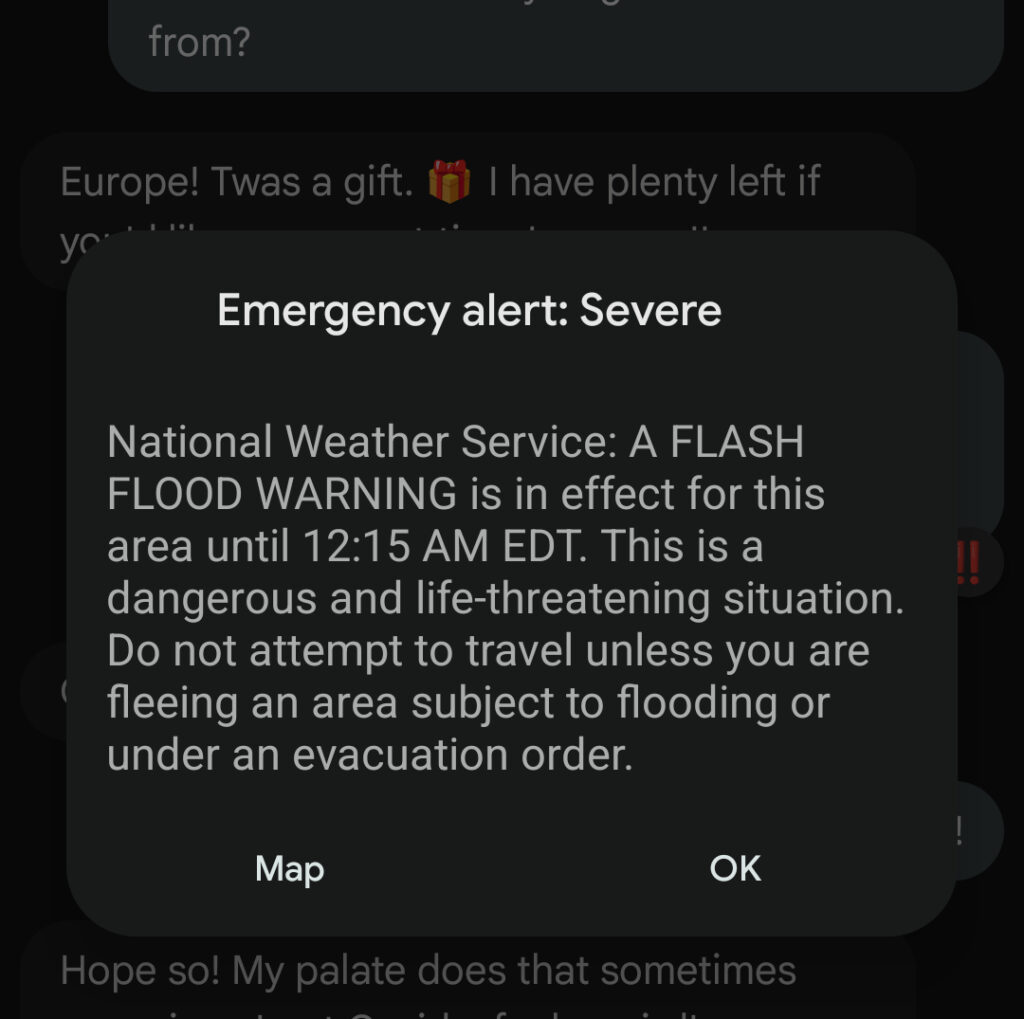
Sign up for your local emergency alert system.
Download weather and emergency-alert apps.
Save important phone numbers in your phone.
Write important contacts down on paper.
Invest in emergency supplies, including a battery-powered or hand-crank weather radio and spare batteries.
Keep phones, backup batteries, and other devices charged.
Make sure family members know how to contact one another.


